Paste/upload text. Sync it with audio. Click words to build flashcards. Code-Switch Reader is a powerful reading tool—perfect for language laddering and generating pronunciation annotations like Furigana, Pinyin, and IPA.
Best experience in Microsoft Edge for premium TTS voices.
Three features that work together to take you from raw text to retained vocabulary — without ever switching tabs.
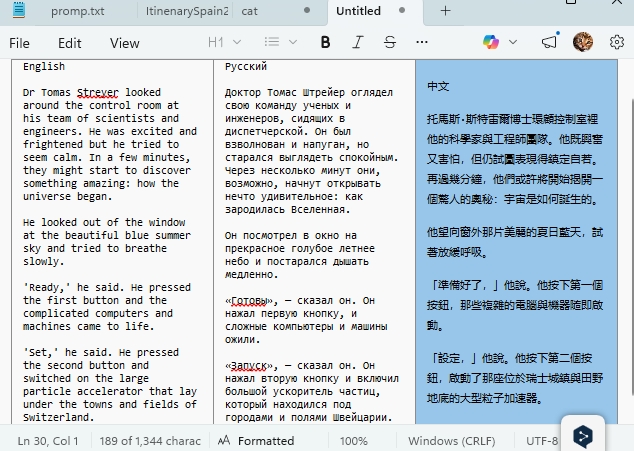
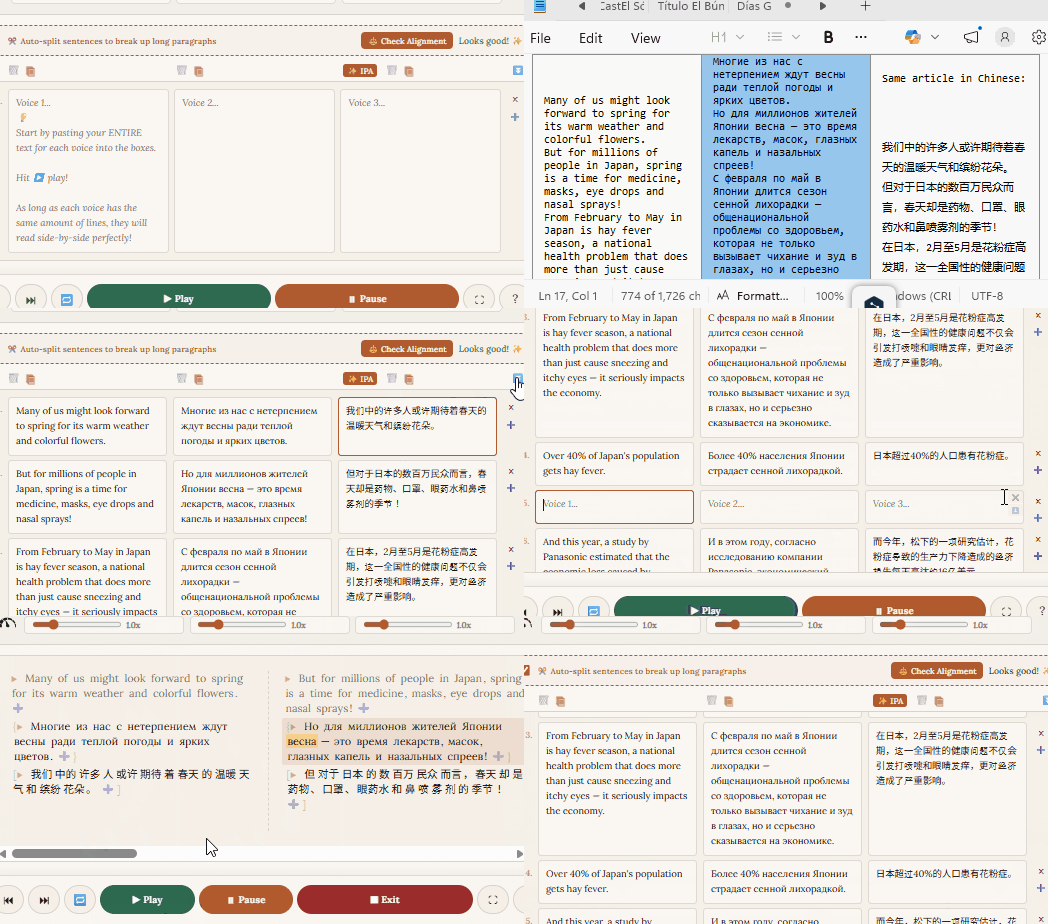
Paste your target language and a translation into the fields. The reader aligns them sentence-by-sentence — hit play and follow along with both audio and text perfectly in sync.
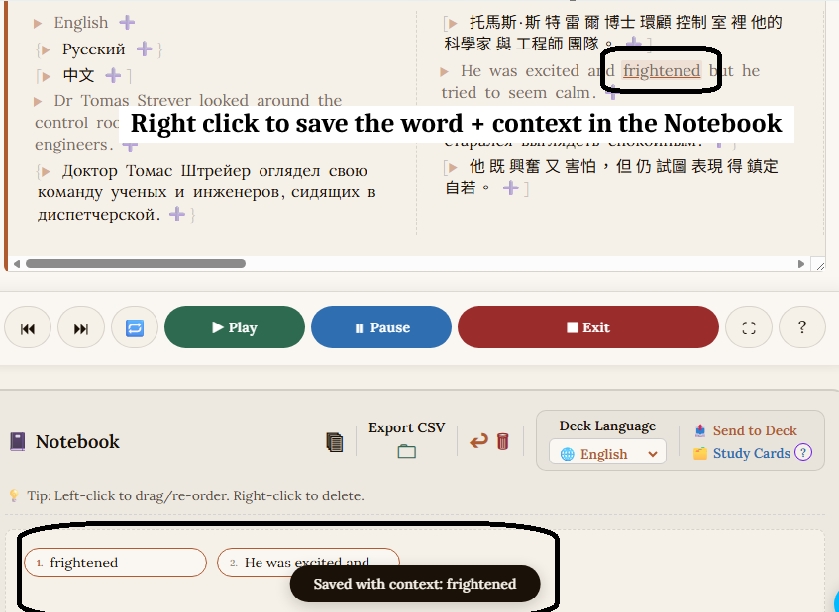
Spot a word you don't know? Just click it. The app saves the word and the surrounding sentence for full context — automatically.
Need a whole phrase? Click and drag. Your notebook builds itself as you read.
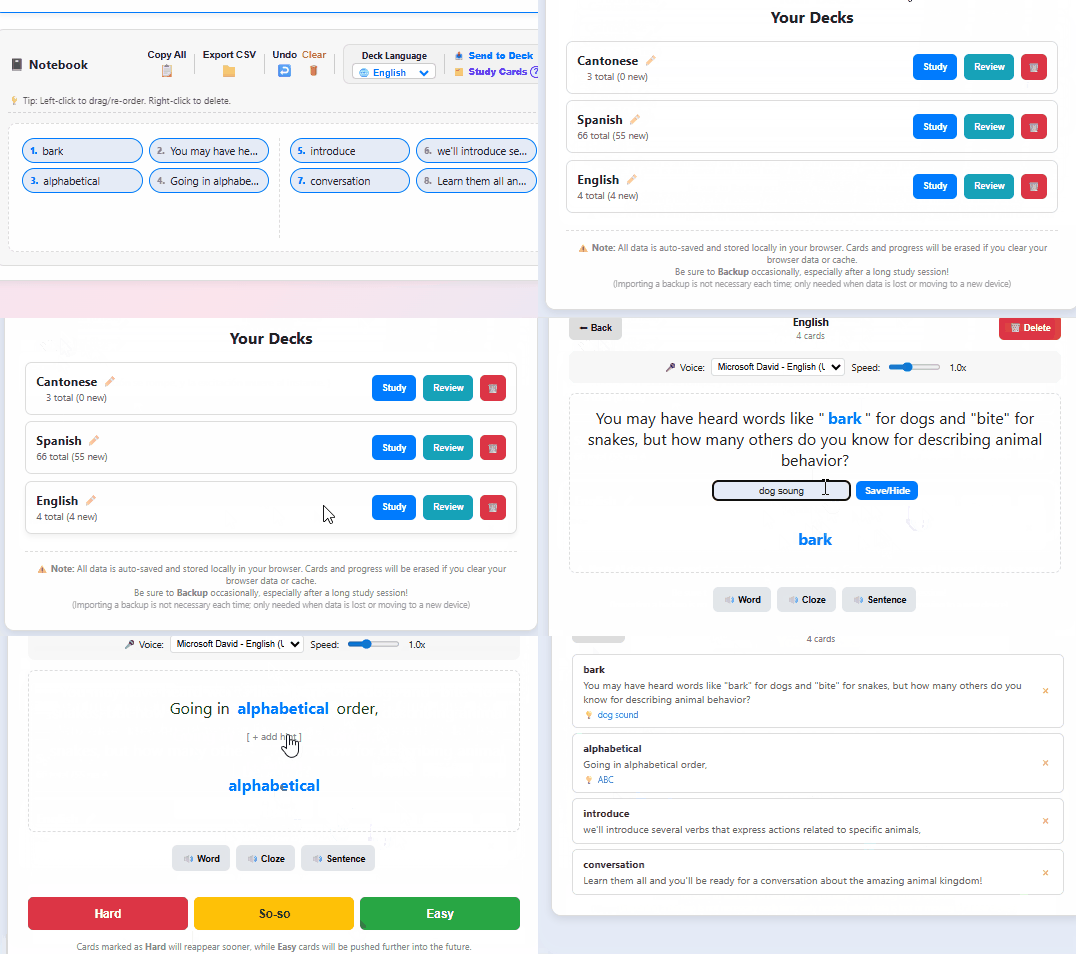
Send your notebook to the built-in Study Cards with one click. The app automatically turns each entry into a cloze (fill-in-the-blank) flashcard using your saved sentence as context.
A built-in queue keeps easy cards out of the way. Ready for more? Export as CSV and drop it straight into Anki.
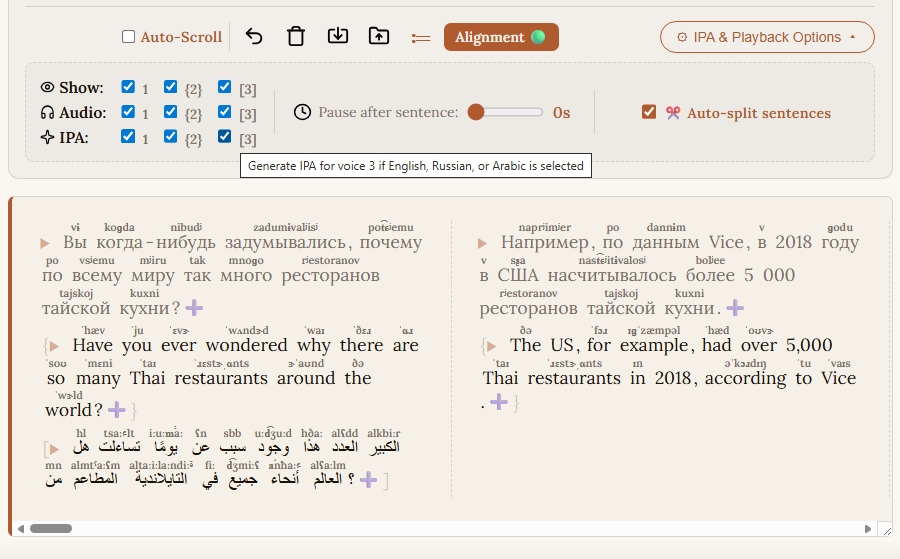
Built-in pronunciation annotations for Japanese, Mandarin, and Cantonese. IPA generator for English, Russian, and Arabic. Toggle them on in Advanced Language Settings and the app handles the rest. Toggle them on and play!
Powered by open-source: Kuromoji, Pinyin Pro, ToJyutping, ingglish, and epitran.
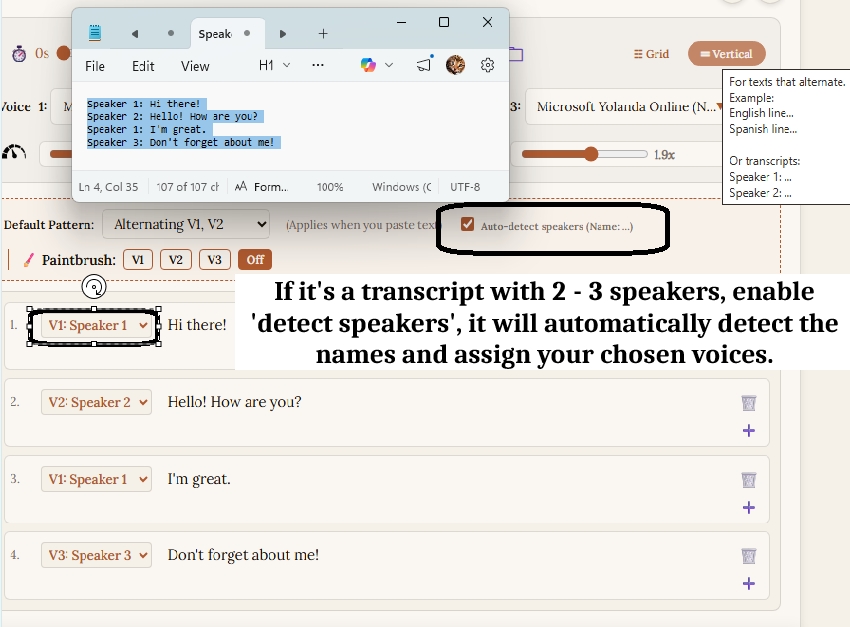
Assign a unique voice to each track and bring scripts, plays, or podcasts to life. The app detects speaker labels and switches voices automatically.
Works great for bilingual texts that alternate between 2–3 languages.
A passion project — no paywalls, no feature tiers. Everything is free. Support us on Ko-fi if you'd like to say thanks.
We deliberately designed the reader to work alongside your favorite browser pop-up dictionaries — not against them.
Accurate word-splitting and automatic annotation for Japanese, Mandarin, and Cantonese — no extensions needed.